
Drupal uses a moderation workflow to allow Drupal users to transition content from one state to another. For example to go from Draft (not publicly available) to Published (available publicly).
To set the moderation state, you’ll see a drop down menu with these options at the bottom of the screen. Select the appropriate option for your content and save.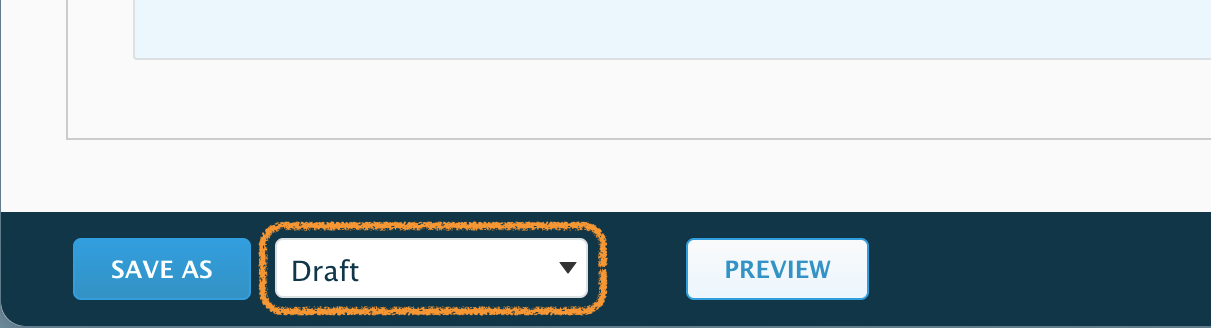
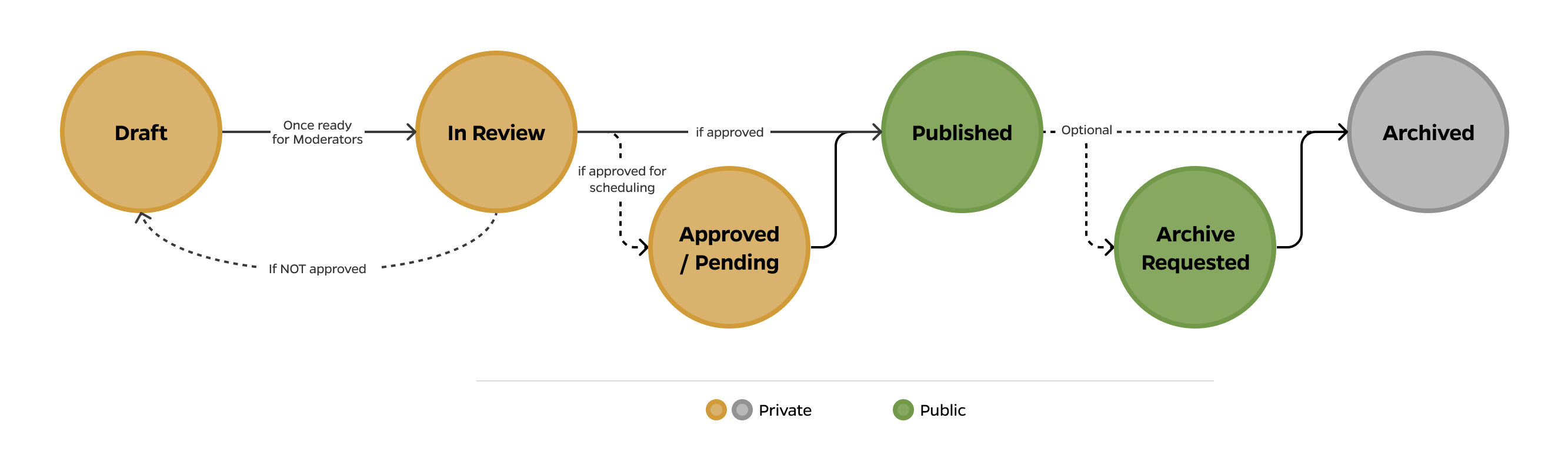
See below what a standard workflow process looks like:
Draft
New and updated content revisions, saved in the Draft state, are not visible to the public. You will only see them when logged into Drupal. This allows you to add and refine content as many times as needed until it's ready.
For instance, if you make edits today and save as Draft, you can go back tomorrow and edit the content again with additional changes and save as Draft again.
In Review
When content is saved as In Review, it denotes that all the previous changes saved are ready for review and publishing. Contents In Review are submitted to the moderation queue. Content moderators will review and publish if approved, at which point your content will be visible to the public.
A page cannot move directly from New or Published to In Review. It must first be saved as Draft so it can be previewed and then updated to In Review if it’s ready for publishing.
Important for Teams: Changes saved as Drafts are cumulative and each revision is applied on top of the previously saved changes by you or any other authorized user. If multiple revisions are submitted for review, ALL revisions will be reviewed and published. This is especially important if you have multiple people working on a page.
Approved / Pending
This state indicates that the content has been reviewed and approved for publishing but has not yet been published. It is primarily used for scheduled content, but reviewers can also use it if content needs to be kept private before publishing.
It is important to note that approved/pending content is "locked". If any additional changes are required, this content must be saved as a new draft and undergo the moderation workflow again.
Published
The 'Published' state means that the content and all changes made up to that point are now publicly available.
Editing Content After Publishing
Once content has been published, revisions can be saved as a new draft in a private state that will not be publicly visible. Instead, the last published version will remain publicly visible until the changes are reviewed and the content is published again.

Documents are Immediately Published

If your document has strict publishing requirements, keep in mind that uploading a document such as PDF, Word, etc., will make it publicly accessible. While it may not be easily findable, anyone with the URL can access it.
Archive Requested and Archived
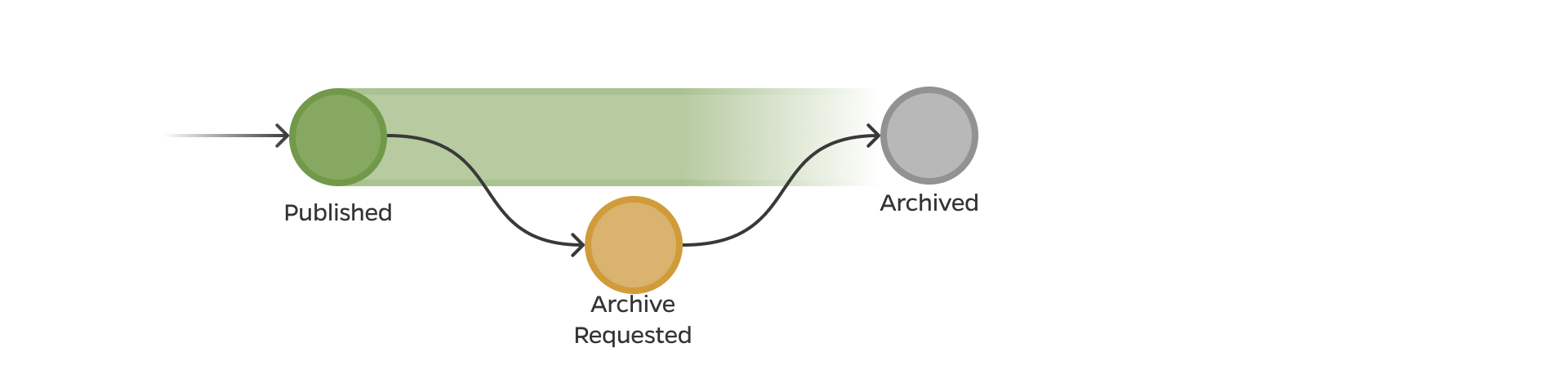
If content needs to be unpublished (no longer publicly accessible), add a Revision Log Message, change the state to Archive Requested state and save.
This will submit the content to the moderation queue. The content moderators will review the content and archive it, at which point your content will be set to the Archive state, unpublished, and will no longer be publicly accessible. The content will still be available internally and can be updated and restored at any time.
Learn more about archiving and recovery →
⚠️ IMPORTANT:
When requesting content be archived note the reason in the log message.
Content will not be archive without a valid log reason.
Deleting Content
The deletion of content is not available to all users so you may not have access to this feature. If needed, submit a ticket to the Help Desk for a member of the Web Team to delete a webpage.

While Delete is not a workflow state, it is important to call attention to it. Delete should only be used if you are sure you won’t need the content in the future. Deleting will permanently remove content from Drupal and is irreversible. Please be extra careful when deleting.